
POS Software: My Practical Solution for Smarter Business Management
Why I Started Using POS Software
Managing sales, stock, payments, and customer records manually became difficult as my business grew. I had to check different files, update stock by hand, and spend extra time preparing daily reports. Small mistakes could affect my sales records and create confusion between staff members.
That is why I started using POS software. It helped me bring important business tasks into one system. Now I can process sales faster, monitor inventory, review reports, and manage customers more easily.
What Is POS Software?
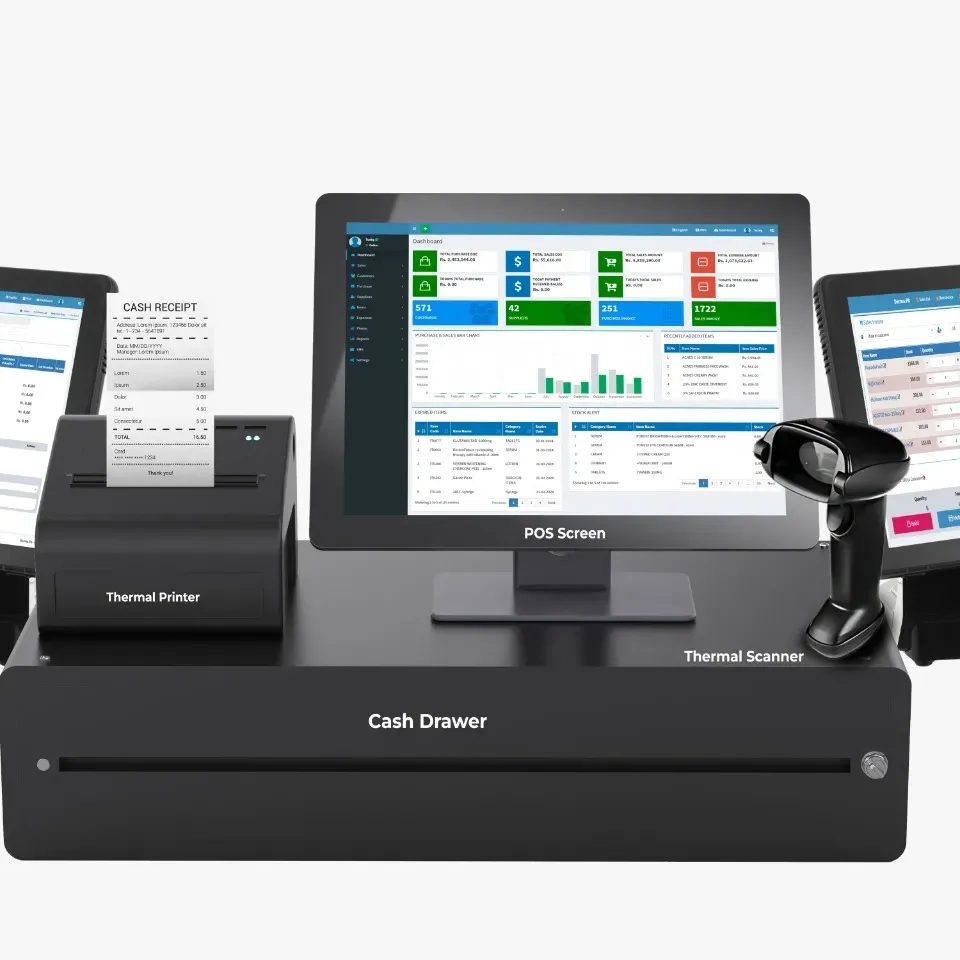
POS stands for Point of Sale. It is a system that helps me complete customer transactions and manage daily business operations.
A modern POS system does more than print receipts. It can connect sales, stock, payments, staff activity, and customer information in one place.
Depending on the software, it may include:
-
Sales and checkout management
-
Inventory tracking
-
Receipt printing
-
Customer records
-
Employee access
-
Payment processing
-
Discount management
-
Sales reporting
-
Supplier records
-
Multi-branch control
For me, POS software acts as the centre of my daily business activity.
How POS Software Improves My Checkout Process
A slow checkout can frustrate customers and create long queues. With POS software, I can scan products, calculate totals, apply discounts, and complete payments in less time.
The system reduces manual calculations and lowers the chance of billing errors. It also helps staff serve more customers during busy hours.
When a customer pays, the sale is recorded automatically. This means I do not need to update separate sales files at the end of the day.
Better Inventory Control with POS Software
Inventory management is one of the biggest challenges in retail. If I order too much stock, my money stays tied up in products. If I order too little, I may lose sales.
POS software updates inventory whenever a product is sold. I can check how many items are available without counting everything manually.
It also helps me:
-
Identify fast-selling products
-
Find slow-moving items
-
Set low-stock alerts
-
Track damaged or returned goods
-
Manage product variations
-
Plan future orders
This makes purchasing more accurate and helps me avoid unnecessary stock problems.
Accurate Sales Reports
Before using a POS system, preparing sales reports took a lot of time. I had to collect data from receipts, registers, and spreadsheets.
Now I can generate reports within a few clicks. I can review daily, weekly, or monthly sales and compare performance over different periods.
These reports help me understand:
-
Total sales
-
Best-selling products
-
Busy sales hours
-
Payment methods
-
Discounts given
-
Refunds and returns
-
Staff performance
-
Profit trends
With clear data, I can make better business decisions instead of relying on guesses.
Customer Management Made Easier
Building strong customer relationships is important for long-term growth. Some POS software allows me to create customer profiles and keep a record of their purchases.
I can use this information to offer better service, manage loyalty points, and create special promotions for regular customers.
For example, I can identify customers who often buy a certain product and inform them when it is back in stock. This creates a more personal shopping experience.
Important Features I Look for in POS Software
Easy-to-Use Interface
The system should be simple enough for employees to understand quickly. A clear layout reduces training time and helps prevent mistakes during checkout.
Inventory Tracking
Real-time inventory is one of the most important features for me. I need to know what is available, what is running low, and what needs to be reordered.
Multiple Payment Options
Customers may want to pay with cash, card, digital wallet, or another method. Good POS software should support different payment types and record them correctly.
Employee Management
I prefer a system that allows me to create separate staff accounts. This helps me track sales, control permissions, and review employee activity.
Cloud Access
Cloud-based POS software lets me check reports and business performance from different locations. I can monitor sales even when I am away from the store.
Data Security
Customer and business information must be protected. I look for password controls, secure backups, user permissions, and activity logs.
Cloud-Based and Traditional POS Systems
There are different types of POS systems, and each one has its own benefits.
Cloud-Based POS Software
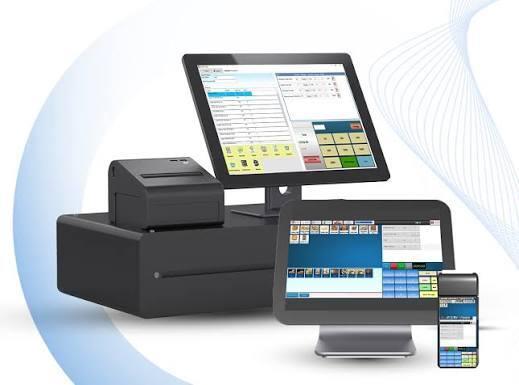
Cloud POS systems store information online. I can access the system through a computer, tablet, or compatible device.
This option is useful because software updates and backups are often managed automatically. It is also suitable for businesses with more than one branch.
On-Premise POS Software
On-premise systems are installed on local computers or servers. They may offer more direct control over data, but they can require more maintenance and technical support.
The right choice depends on my budget, business size, internet availability, and security needs.
Related more articles, pos software pakistan
Which Businesses Can Use POS Software?
POS systems are useful in many industries, not only retail stores.
Retail Shops
Clothing stores, supermarkets, electronics shops, pharmacies, and convenience stores can manage sales and inventory.
Restaurants and Cafes
Restaurants can use POS software to take orders, send details to the kitchen, split bills, manage tables, and track menu items.
Salons and Spas
Salons can manage appointments, services, customer details, employee schedules, and payments.
Bakeries
Bakeries can track daily sales, product availability, custom orders, and ingredient stock.
E-Commerce Businesses
Some POS systems connect online and physical store inventory. This helps me avoid selling the same product twice when stock is limited.
Wholesale Businesses
Wholesalers can manage bulk orders, customer credit, supplier records, pricing levels, and warehouse stock.
How I Choose the Right POS Software
I do not select a system only because it looks modern. I first study the actual needs of my business.
Before choosing, I consider:
-
Business type
-
Number of products
-
Number of branches
-
Required reports
-
Payment methods
-
Staff size
-
Budget
-
Hardware needs
-
Customer support
-
Future growth
I also ask for a demo. Testing the system helps me understand whether it is fast, simple, and suitable for my daily work.
Common Mistakes I Avoid
One common mistake is choosing cheap software without checking its features or support. A low-cost system may become expensive later if it causes errors or requires frequent repairs.
Another mistake is ignoring staff training. Even the best POS software will not work properly if employees do not know how to use it.
I also avoid moving incorrect product and customer data into the new system. Clean and accurate information makes the setup process smoother.
Benefits of POS Software for My Business
Since using POS software, I have improved both speed and control. It has helped me reduce paperwork, avoid stock mistakes, and understand sales performance more clearly.
The main benefits include:
-
Faster customer service
-
Fewer billing errors
-
Better inventory control
-
Accurate business reports
-
Improved staff management
-
Stronger customer service
-
Easier business planning
These benefits allow me to focus more on growth instead of spending too much time on manual tasks.
Final Thoughts
POS software is more than a billing tool. For me, it is a complete system that supports sales, stock management, reporting, customer service, and daily operations.
The right POS solution can help a business save time, reduce mistakes, and make smarter decisions. By choosing software that matches my needs and training my team properly, I can improve the customer experience and manage my business with greater confidence.
Read more information, visit by here

 Arabic
 French
 Spanish
 Portuguese
 Deutsch
 Turkish
 Dutch
Dutch
 Italiano
 Russian
 Romaian
 Portuguese (Brazil)
 Greek
Greek